
LinkedIn Branding Hacks: How to Attract High-Value Clients & Partnerships

LinkedIn branding B2B networking
Content Writing
Khamir Purohit Founder & Director | |
Content Writing

(Source)

Imagine a platform where every post, connection, and interaction could lead to your next big client or partnership. That’s LinkedIn for you—a goldmine B2B networking, executive marketing, and LinkedIn branding in 2025. 

But are you tapping into its full potential? 

If not, don’t worry. This blog is your ultimate guide to mastering LinkedIn branding and unlocking the best strategies for business growth. 

Let’s dive in and transform your LinkedIn presence into a magnet for premium clients and high-value collaborations!

Why LinkedIn is Crucial for B2B Networking and Executive Marketing

LinkedIn is more than just a professional networking site; it can become powerful tool for lead generation, brand building, and thought leadership if used right. 

Here’s why it works so well for businesses:

  • Targeted Audience: LinkedIn allows you to connect with decision-makers, industry leaders, and professionals who align with your business goals.
  • Content Visibility: The platform rewards consistent, high-quality content with increased visibility through its algorithm.
  • Trust Factor: Profiles on LinkedIn are often perceived as more credible than other social media profiles due to their professional focus.

If you’re serious about LinkedIn growth and leveraging the platform for B2B branding, it’s time to optimize your approach.

Step 1: Optimize Your LinkedIn Profile for Branding Success

Content Writing

(Source)

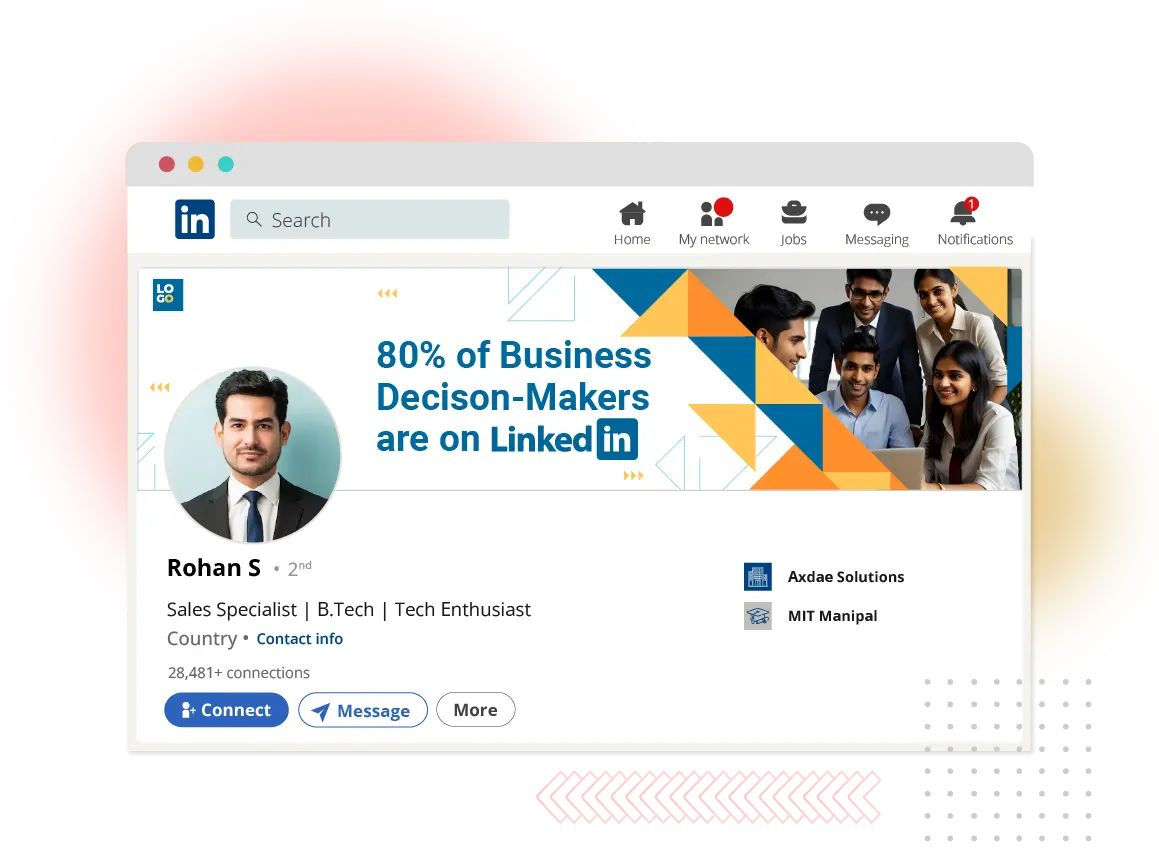
Your LinkedIn profile is your digital storefront. To attract high-value clients and partnerships, it needs to reflect your expertise and value proposition.

1.1 Craft a Magnetic Headline

Your headline is one of the first things people notice. Instead of simply listing your job title, use this space to highlight how you help others. For example:

  • Instead of: “CEO at XYZ Company”
  • Use: “Helping Businesses Scale Through Data-Driven Marketing Strategies | CEO of XYZ Company”

Include relevant keywords like "LinkedIn branding," "B2B networking," or "executive marketing" to improve searchability.

1.2 Write a Compelling About Section

The About section is your chance to tell your story. Focus on:

  • Your unique value proposition.
  • The problems you solve for clients.
  • A clear call-to-action (CTA), such as “Let’s connect to discuss how I can help your business grow.”

1.3 Showcase Achievements in the Experience Section

Highlight quantifiable results you’ve achieved in previous roles or projects. Use bullet points for clarity:

  • Increased client revenue by 40% through targeted B2B branding strategies.
  • Built partnerships with Fortune 500 companies using advanced LinkedIn growth tactics.

1.4 Add Rich Media

Enhance your profile with videos, presentations, or case studies that demonstrate your expertise.

Step 2: Build Authority Through Value-Driven Content

Content Writing

(Source)


2.1 Post Consistently

Consistency is the cornerstone of any successful LinkedIn content strategy. Posting regularly ensures you remain visible to your target audience and stay top-of-mind for potential clients or partners.

  • Frequency: Aim to post at least two to three times per week. This frequency strikes the right balance between staying relevant and avoiding content fatigue.
  • Timing: Post during peak engagement hours, typically midweek (Tuesday–Thursday) between 9 AM and 12 PM, to maximize visibility.
  • Consistency Builds Trust: Regular posting signals to your audience that you are active, reliable, and committed to sharing insights.

Pro Tip: Use a content calendar to plan your posts in advance. This helps maintain consistency and ensures your content aligns with your broader LinkedIn branding goals.


2.2 Focus on High-Value Topics

To stand out on LinkedIn, your content must address the specific pain points of your target audience. High-value topics resonate deeply with readers and position you as a problem-solver.

How to Identify High-Value Topics

  • Audience Research: Understand the challenges, goals, and aspirations of your ideal clients or partners.
  • Industry Trends: Stay updated on emerging trends in your niche and share actionable insights.
  • Keyword Optimization: Incorporate keywords like "LinkedIn branding," "B2B networking," and "executive marketing" into your content to enhance discoverability.

Examples of High-Value Topics

  • How to Use LinkedIn to Attract Premium Clients: Share strategies tailored for businesses seeking high-value leads.
  • Best LinkedIn Strategies for Business Growth in 2025: Discuss innovative approaches for leveraging LinkedIn as a growth tool.

Storytelling & Data-Driven Insights

Combine storytelling with data to make your posts more engaging:

  • Share personal success stories or lessons learned from failures.
  • Back up claims with statistics or case studies, such as:
    "According to LinkedIn’s own research, posts with statistics receive 30% more engagement than those without."

2.3 Experiment with Formats

Diversifying your content formats keeps your audience engaged and caters to different preferences. Here are some effective formats:

Short Videos

  • Use videos to explain industry trends, share quick tips, or showcase behind-the-scenes glimpses of your work.
  • Keep videos under two minutes for maximum engagement.
  • Example: A short video explaining "How B2B Networking on LinkedIn Can Drive Business Growth."

Infographics

  • Visual summaries of complex information can make your content more digestible.
  • Example: An infographic titled "5 Best Practices for Executive Marketing on LinkedIn."

Long-Form Articles

  • Publish in-depth articles directly on LinkedIn or link them back to your website.
  • Topics could include detailed guides such as "The Ultimate Guide to LinkedIn Branding for B2B Companies."

Polls & Surveys

Engage your audience by asking questions through polls:

“What’s the biggest challenge you face in B2B networking?

  • Finding decision-makers
  • Building trust
  • Closing deals”

Polls not only boost engagement but also provide insights into your audience’s needs.

2.4 Engage with Comments

Posting content is only half the battle; engaging with your audience is where the magic happens. Responding to comments builds relationships, fosters trust, and increases post visibility due to LinkedIn’s algorithm.

Why Engagement Matters

LinkedIn prioritizes posts with active discussions, pushing them higher in feeds. Engaging with comments signals that you value interaction, encouraging others to contribute their thoughts.

How to Engage Effectively

  1. Respond promptly: Aim to reply within 24 hours of receiving a comment.
  2. Personalize responses: Address commenters by name and acknowledge their input.
    Example: “Thanks for sharing this perspective, [Name]! I completely agree that B2B branding is evolving rapidly.”
  3. Ask follow-up questions: Keep the conversation going by inviting further discussion.
    Example: “Great point! How do you think executive marketing will adapt to these changes?”

Step 3: Leverage LinkedIn Features for Maximum Impact

Content Writing

(Source)

3.1 Use Creator Mode to Boost Visibility

Creator Mode is one of LinkedIn’s most powerful tools for professionals looking to grow their influence and attract a targeted audience. When activated, this feature transforms your profile into a content hub and prioritizes your activity on the platform.

What is Creator Mode?

Creator Mode is designed for individuals who actively share content on LinkedIn. It highlights your posts, articles, and hashtags while encouraging others to follow you instead of simply connecting. This feature is ideal for professionals focused on building a personal brand or engaging in executive marketing.

How to Use Creator Mode Effectively

  • Choose Strategic Hashtags: When you activate Creator Mode, LinkedIn prompts you to select up to five hashtags that reflect your expertise. For example:
    • #LinkedInBranding
    • #B2BNetworking
    • #ExecutiveMarketing
    • #ThoughtLeadership
    • #BusinessGrowth
      These hashtags make it easier for people searching for specific topics to find your content.
  • Prioritize Content Creation: With Creator Mode enabled, your posts and articles are prominently displayed on your profile. Focus on creating high-value content that aligns with your audience’s interests and pain points (e.g., “How to Use LinkedIn to Attract Premium Clients”).
  • Enable Profile Features: Creator Mode allows you to add a “Follow” button instead of the default “Connect” button on your profile. This encourages people to follow you for insights rather than sending generic connection requests.
  • Go Live or Publish Newsletters: Creator Mode unlocks additional features like LinkedIn Live and newsletters, enabling you to engage directly with your audience through live video sessions or email-style updates.

Why It Works

Creator Mode positions you as an active contributor on LinkedIn, increasing your visibility and credibility. For businesses focused on LinkedIn growth, this feature ensures that your expertise reaches the right audience consistently.

3.2 Publish Articles on LinkedIn to Build Authority

While short posts and videos are great for engagement, long-form articles allow you to dive deeper into topics, showcase expertise, and establish thought leadership in your industry.

Why Publish Articles?

Publishing articles on LinkedIn helps in:

  • Positioning yourself as a subject-matter expert.
  • Driving traffic to external platforms like your website or portfolio.
  • Building trust with potential clients by offering in-depth insights.

How to Write High-Impact Articles

1. Choose Relevant Topics: Focus on subjects that resonate with your target audience, such as:
  • “Best LinkedIn Strategies for Business Growth”
  • “How B2B Branding Can Drive Long-Term Success”
  • “The Role of Executive Marketing in Scaling Enterprises”
    These topics not only demonstrate expertise but also address the pain points of decision-makers.
2. Structure Your Article Effectively:
  • Start with an engaging headline (e.g., “How to Use LinkedIn to Attract Premium Clients”).
  • Use a strong introduction that hooks the reader.
  • Break down complex ideas into actionable steps or insights.
  • Conclude with a clear call-to-action (CTA), such as inviting readers to connect or visit your website.
3. Optimize for Keywords: Incorporate keywords like "LinkedIn branding," "B2B networking," and "executive marketing" naturally throughout the article to improve discoverability.
  • Add Visuals: Include relevant images, infographics, or embedded videos to make your article visually appealing and easier to read.
  • Promote Your Articles: Share links to your articles across other social media platforms or email newsletters to drive additional traffic.

Pro Tip:Repurpose Content

Turn snippets from your articles into short posts or graphics for increased engagement across multiple formats.


3.3 Utilize LinkedIn Sales Navigator for Lead Generation

For businesses aiming to connect with high-value clients or partners, LinkedIn Sales Navigator is an indispensable tool. It offers advanced search capabilities that go beyond the standard LinkedIn interface, enabling precise targeting based on specific criteria.

What is LinkedIn Sales Navigator?

Sales Navigator is a premium feature designed specifically for lead generation and account-based marketing. It allows users to identify potential clients or partners based on filters like:

  • Industry
  • Job title
  • Company size
  • Location
  • Keywords

This makes it particularly effective for businesses engaged in B2B networking and seeking strategic partnerships.

How to Use Sales Navigator Effectively

1. Define Your Target Audience:
  • Identify the demographics of your ideal client or partner (e.g., CEOs of mid-sized tech companies in North America).
  • Use filters like "Decision-Maker," "Industry Leaders," or "Company Revenue" to narrow down prospects.
2. Save Leads and Accounts:
  • Create lists of potential leads or companies you want to target.
  • Monitor their activity (e.g., posts, company updates) to find opportunities for engagement.
3. Engage Strategically:
  • Send personalized InMail messages tailored to each prospect’s needs.
  • Reference their recent achievements or shared interests when reaching out (e.g., “I noticed your company recently launched [product/service]. I’d love to discuss how we can collaborate.”).
4. Leverage Insights:
  • Use Sales Navigator’s real-time insights about prospects’ activity on LinkedIn.
  • Stay updated about job changes, company news, or shared connections that could serve as conversation starters.
5. Integrate with CRM Tools:
  • Sync Sales Navigator with CRM platforms like Salesforce or HubSpot for seamless lead management and follow-ups.

Why It Works

Sales Navigator allows businesses to focus their outreach efforts on high-value prospects who are most likely to convert into clients or partners. This targeted approach saves time while increasing ROI on lead generation efforts.



Step 4: Network Strategically

Content Writing

(Source)

Networking on LinkedIn isn’t about sending random connection requests; it’s about building meaningful relationships.

4.1 Personalize Connection Requests

When reaching out, include a personalized note explaining why you want to connect:

“Hi [Name], I came across your profile while researching [industry/topic]. I’d love to connect and learn more about your work in [specific field].”

4.2 Join Relevant Groups

Participate in industry-specific groups where your target audience is active. Share insights and engage in discussions to establish credibility.

4.3 Follow Up Professionally

After connecting with someone, send a follow-up message within 24–48 hours:

“Thank you for connecting! I’d love to explore how we can collaborate or add value to each other’s networks.”

Step 5: Showcase Social Proof

Content Writing

(Source)

Social proof plays a significant role in building trust on LinkedIn.

5.1 Collect Recommendations

Ask satisfied clients or colleagues for recommendations that highlight specific results or skills.

5.2 Highlight Endorsements

Ensure that key skills relevant to your niche are endorsed by others in your network.

5.3 Share Case Studies

Post success stories or testimonials that demonstrate how you’ve helped clients achieve their goals.

Step 6: Analyze and Refine Your Strategy

Content Writing

(Source)

To ensure continuous growth on LinkedIn, track key performance metrics such as:

  • Profile views
  • Post engagement (likes, comments, shares)
  • Connection requests received

Use these insights to adjust your content strategy or networking approach.

In Conclusion

LinkedIn is a goldmine for businesses looking to attract premium clients and build strategic partnerships—but only if used effectively. By optimizing your profile, sharing value-driven content, leveraging advanced features, and networking strategically, you can position yourself as an authority in your field and drive meaningful business growth.

At LexiConn Content Writing Services , we specialize in creating compelling content strategies tailored for personal branding and executive marketing on platforms like LinkedIn. 

Whether you're looking for engaging articles or optimized profiles that resonate with high-value clients, we’ve got you covered! Ready to collaborate? Schedule a FREE 30-minute consultation to explore how we can enhance your case study content. 

Visit us at www.lexiconn.in or book a free consultation to get started.

I have read and accept the Privacy Policy

Read More Content agency

Need help with LinkedIn personal branding? LexiConn has been India's B2B content partner since 2009. Explore our LinkedIn branding services →

Book a Meeting