

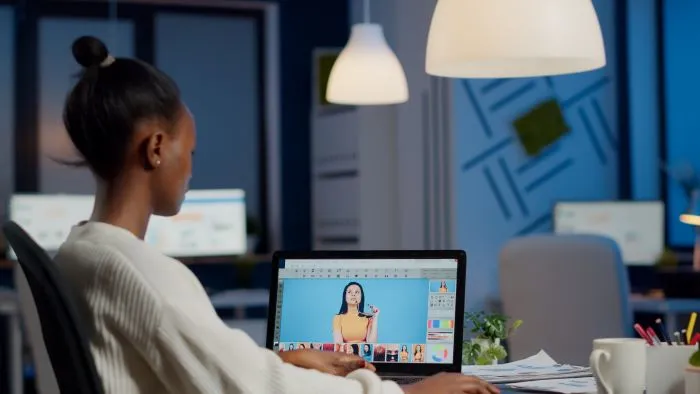
An explainer video gives you a simple way to communicate a product, service, or idea when a few paragraphs of text may not be enough. It brings together a clear script and visual elements such as animation, live footage, or a combination of both to help viewers understand the message quickly.
An explainer video is a short video, usually one to three minutes long, that breaks down a product, service, or idea into something a viewer can understand quickly. It combines a clear script with visuals, animation, live footage, or a mix of both. A typical explainer follows a simple structure: a problem, a solution, and a reason to act.
Businesses use explainer videos to demonstrate products, explain services, introduce brands, or make complex topics easier to understand. You will often find them on landing pages, product pages, and social platforms, where viewers may want to understand an offering without reading a long page of text.
The case for using video is well established. Cisco has reported that video accounts for the majority of global internet traffic. Forbes has cited research showing that viewers retain around 95 percent of a message delivered through video, compared with about 10 percent through text alone. Wyzowl's video marketing research found that 82 percent of consumers said a brand's video convinced them to buy a product or service, while 77 percent said video improved their confidence in a buying decision.
For small and mid-sized businesses, video can also make it easier to explain what they offer. When you are competing for attention with more established brands, a short, well-written explainer can communicate your message without requiring a long sales conversation. You can also adapt the same video for different channels, including your website, social media, and email campaigns.
But an explainer video is only as effective as the message it communicates. The script determines what the viewer needs to understand, how the information is presented, and how the visual elements support the message. That makes scriptwriting one of the most important parts of creating an effective explainer video.
The script is part of an explainer video that explains the problem, shows why it matters, and guides the viewer toward the next step. Visuals help hold attention, but the script gives the video its message and structure. A strong script also helps the visuals support the message instead of carrying the entire explanation on their own.
Most working explainer scripts follow this order:
This structure gives the viewer a clear path from the problem to the solution and then to the next step.
A script built only around features can make the information harder to follow. A simple story gives the viewer a situation they can recognize and follow. Four elements can help shape that story:
You do not need to develop all four elements in detail. Even a 90-second script can benefit from clearly introducing the conflict in the first few lines. This helps the viewer understand that the video addresses a problem relevant to them rather than simply describing the product.
You can apply several simple storytelling structures to different products and services.
Show the frustrating version of a task or situation, then show how it is solved. This works well when the product addresses a visible, everyday problem.
Follow a user through a normal day and show how the product fits into that experience instead of listing features separately.
Set up a stressful or frustrating situation and introduce the product as an unexpected solution. This can create a moment of surprise while keeping the focus on the problem being solved.
Explain why the product or company exists in the first place. This works best when the founding reason is genuinely relatable and relevant to the audience.
A script is written to be spoken, not simply read. That changes how you should structure and write it.
Start with a clear beginning, middle, and end, similar to how you would structure a short spoken presentation. Open with a hook in the first few seconds. This could be a question, a surprising fact, or a relatable situation that gives the viewer a reason to continue watching.
Add visual and audio cues alongside the script where needed. Note where a graphic, product shot, or piece of music should appear so the production team can understand how the elements should work together.
Pay attention to pauses and pacing. A script delivered at the same pace throughout can feel monotonous, while intentional pauses around important points give the viewer time to process the information.
Where appropriate, ask the viewer a direct question instead of presenting only statements. This can make the script feel more conversational and less like a lecture.
These techniques do not replace the basic problem, solution, and call-to-action structure. They help that structure sound natural when the script is spoken aloud.
A strong script can lose its impact when the writing becomes too long, too company-focused, or disconnected from the viewer. Avoid these common mistakes:
Once the script is finalized, the visual style should support the message rather than determine it. The right format depends on what you need to explain, who you are addressing, and how much visual detail the message requires.
Animation works well for products or services without a physical presence, such as software. It allows you to represent concepts, processes, and features that may be difficult to show through live footage.
Live action uses real people and settings, which can create a direct human connection. It can suit businesses with physical products or services where personal interaction and trust are important, such as retail and hospitality.
Whiteboard videos present information as though it is being drawn step by step. The format can work well for education, training, and topics that benefit from a clear, sequential explanation.
3D animation can add depth and detail to products and processes. It can be useful for industries where understanding how something works internally is important, such as engineering, manufacturing, or medical devices. Because it requires more production work, use it when the additional visual detail helps the viewer understand the subject.
Typography videos use moving text with audio or music rather than characters or scenes. They can work well for short, focused messages such as awareness campaigns.
When choosing a visual style, consider three factors:
An explainer video works best when you place it where your audience needs to understand your product, service, or message. You can use it across several stages of the customer journey, depending on what you want the video to communicate.
The same script may need to be adapted depending on where you use the video. A homepage explainer may need to introduce your offering quickly, while a social video may need to communicate one focused idea in a shorter format. An email video may need to answer a specific question or explain the next step.
This is where your original script becomes useful beyond a single video. Once you have a clear core message, you can adapt it for different formats and channels without changing the central idea.
The value of an explainer video is not only determined by the production quality. The examples discussed in the source material show how a clear idea, a relatable situation, and a focused script can make a video easier for viewers to understand and remember.
Storytelling-led videos can move beyond a simple feature list by giving the audience a situation they recognize. For example, Apple's "Misunderstood" iPhone commercial uses an emotional story rather than presenting the product through a list of features. Reebok's running campaign also builds its message around a single insight instead of relying on a conventional product pitch.
The same principle can apply to explainer videos for businesses. A script does not always need to explain every feature. It can focus on one problem, show why that problem matters, and demonstrate how the product or service addresses it.
A relatable situation can also give viewers a reason to keep watching. LG Chile's explainer video uses a job-interview scenario rather than leading with a product pitch. The useful takeaway is not the video's view count. It is the way the script connects the message to a situation that the audience can recognize.
A strong explainer video is not primarily a production problem. It is a writing problem first. Get the script right, and the rest of the process becomes far more straightforward.
LexiConn has been writing scripts and content for brands since 2009, working with 170+ brands including Fortune 100 clients, and has published 416 articles across its content practice. If you need a script written properly before you move into production, that is where the work should start.
1. What is an explainer video?
An explainer video is a short video, usually one to three minutes long, that explains a product, service, or idea clearly and quickly. It typically presents a problem, introduces a solution, and gives the viewer a reason to act.
2. How long should an explainer video be?
A typical explainer video runs for 90 to 120 seconds. At about 150 words per minute, a 90-second script would be roughly 200 to 230 words.
3. What should an explainer video script include?
A working script generally introduces a problem, presents the product or service as the solution, gives a brief overview of what it does, includes a relevant trust signal, and closes with a clear call to action.
4. Which type of explainer video style should I choose?
Choose a style based on your product, audience, and message. Animation can work well for software and services, live action can suit businesses where personal trust matters, whiteboard videos can work well for education and training, 3D animation can help explain technical products and processes, and typography can suit short, focused messages.
5. Are explainer videos useful for small and mid-sized businesses?
Yes. An explainer video can help a smaller business communicate its product, service, or complex offering clearly. You can also adapt the same core video for channels such as your website, social media, and email campaigns.
I have read and accept the Privacy Policy
Read More