
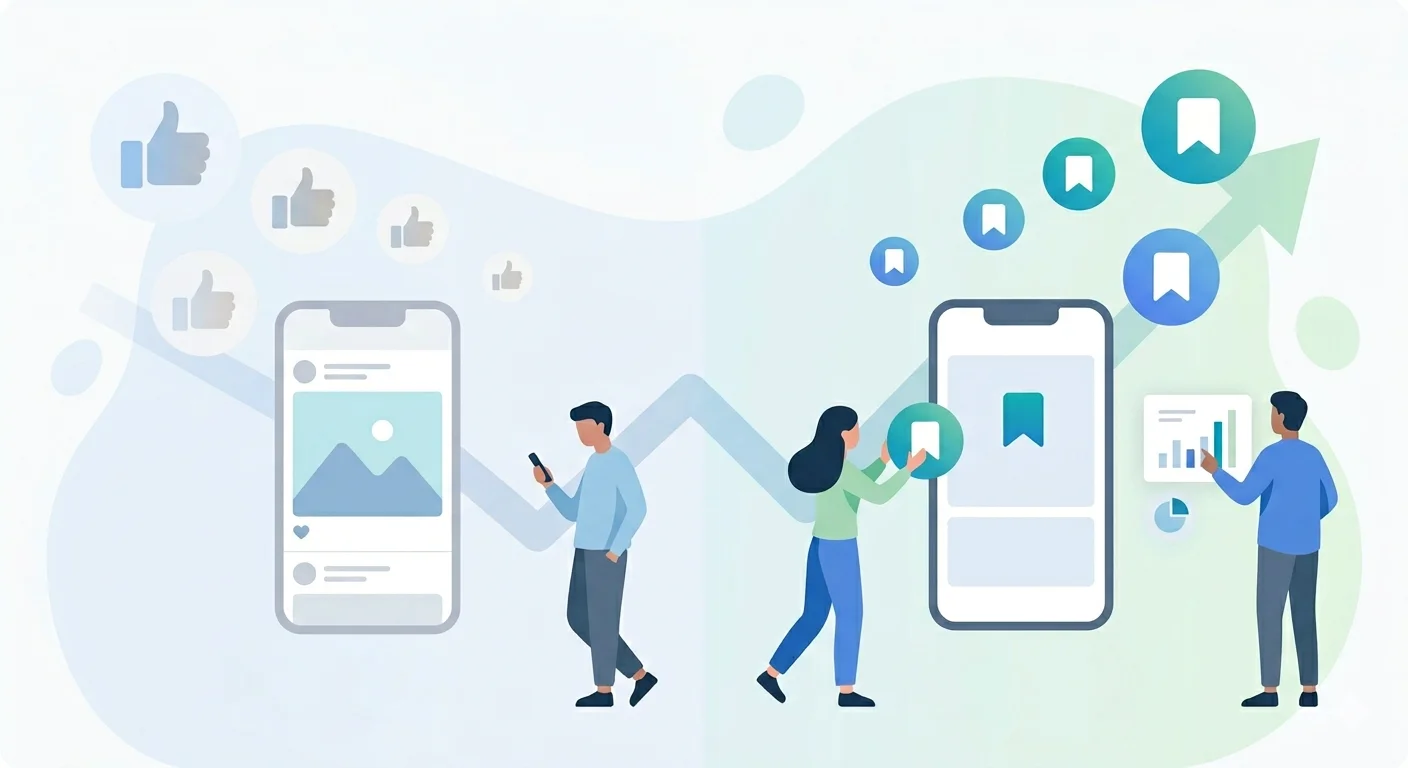
The Death of the Like, the Rise of the Save: LinkedIn's New Metric Hierarchy
People are starting to realize that LinkedIn is no longer rewarding likes the way it used to. New data from AuthoredUp’s analysis of 3+ million posts shows that a single save can generate up to 5× more reach than a like, and about 2× more than a comment. That’s why founders are now focusing less on likes and more on bookmarks.
This shift is not random. LinkedIn’s 2026 algorithm is clearly prioritizing high-intent actions like saves, reshares, and private shares over surface-level engagement. In this system, likes are becoming a vanity metric, while saving signal real value. If your content isn’t being saved or shared, it simply won’t scale.
Why “Likes” Became a Vanity Metric
Likes on LinkedIn have become a vanity metric because they are low-intent, reflex actions. A like takes less than a second and often does not reflect a real interest in the content. In 2026, LinkedIn’s algorithm increasingly treats likes as weak engagement signals and prioritizes deeper actions instead. While likes still exist, they are now the lowest-priority signal in distribution.
This shift is supported by multiple industry observations:
- Likes are “non-resistant” actions, often done without reading or real intent.
- Most users still chase likes, even though they rarely translate into reach or meaningful engagement.
- The algorithm now prioritizes depth-based signals like saves, reshares, and private sends over surface reactions.
- Posts with high likes but no saves or shares are often treated as low-value content.
- LinkedIn started paying closer attention to saves in late 2025 because likes alone were too easy to inflate and not reliable for ranking content.
In simple terms, the old approach of optimizing for likes no longer works. Content now needs to earn intentional engagement to get distribution.
What the Algorithm Reads When Someone Saves Your Post
On LinkedIn, a save is not a reflex action like a like. It signals intent. It means the reader found your post valuable enough to revisit later. As Sam Corrao-Clanon explains, “Saves show you how many people got so much out of your post that they bookmarked it to revisit.” In simple terms, save equals bookmark, and bookmark equals high intent.
LinkedIn now treats this as a strong quality signal. As Corporate Soldiers notes, “Save is perhaps the most important praise a piece of professional content may get in 2026.” A save tells the platform that the content has lasting value, not just momentary attention.
The algorithm reads high save rates as proof of reference value. It assumes the post contains something useful, such as insights, frameworks, or practical thinking that users want to return to later. Posts that get saved are more likely to be boosted because they show usefulness beyond surface engagement.
One way to define it is simple: a save is a bookmark that signals “this is worth coming back to.”
How LinkedIn Interprets Engagement Signals
- Like: Low-effort acknowledgement, “I saw this.” Minimal signal of value or retention
- Comment: Some level of engagement, but value depends on depth and quality
- Save: Strong intent signal, “this is useful, and I will revisit it”
- Share: High-value signal, especially private sends which indicate strong trust and relevance
LinkedIn now prioritizes depth over reach. Likes once helped content surface, but today, only signals like saves, shares, and meaningful engagement tell the algorithm that a post is worth distributing further.
The Save Trigger: Utility, Frameworks, and Reference Value
A save on LinkedIn is the strongest intent signal a post can earn. It means the reader does not just agree or react, but actively wants to return to the content later, either to apply it, present it, or share it with someone at work. In practice, people save content they can reuse, not content they simply enjoy.
Save-worthy content consistently falls into three clear categories:
- Utility: Practical tools the reader can use immediately, such as templates, scripts, checklists, or step-by-step processes
- Frameworks: Structured ways to understand or solve a problem, such as repeatable models or decision-making systems
- Reference Value: Information worth recalling later, such as benchmarks, data points, research insights, or market comparisons
These formats work because they map directly to real work situations. As Jared Gibson, a LinkedIn content strategist, notes, people tend to save “templates, scripts, frameworks, checklists, and step-by-step breakdowns.” In other words, anything that helps them perform or think better at work has a higher chance of being bookmarked.
What does not get saved is equally important. Emotional storytelling without application, purely opinion-based posts, or generic motivational content may still earn likes or comments, but they rarely get revisited. The same applies to content that feels surface-level or easy to recreate from memory. It may be engaging in the moment, but it is not considered worth storing.
A simple test before publishing is this: would someone in your target audience save this post to use in a real meeting or decision next week? If the answer is no, it is unlikely to generate saves or long-term reach.
This is why structured, repeatable content formats consistently perform better over time. For example, creators like Ankur Warikoo have built large audiences by repeatedly sharing posts built around frameworks and step-by-step thinking, rather than standalone opinions. Formats like “my 4-step process for X” or “decisions that changed how I work” naturally create reference value, which is what drives saves.
In short, LinkedIn does not reward content that is merely interesting. It is rewarding content that is reusable. Saves go to posts that help someone think better, work faster, or explain something clearly in their own context.
Five Post Structures That Consistently Get Saved
These are not copy-paste templates. They are structural patterns that consistently earn saves because they produce content people expect to reuse later. For B2B founders, the goal is to apply them to real domain expertise, not generic advice.
1. The Decision Framework
Format: Break down a recurring business decision and share the exact variables or criteria you use to make it.
Example: A B2B SaaS founder selling to manufacturing companies might write, “The three questions I ask before recommending automation on any shop floor: line throughput variance, operator tenure, and rework rate. Here is how each changes the recommendation.”
Why it gets saved: It maps directly to real decisions. Readers save it to use in their next evaluation or internal discussion.
2. The Insider Benchmark Post
Format: Share non-obvious, real-world data from your business or industry. This can include aggregated deal insights, conversion rates, pricing patterns, or operational benchmarks.
Example: A logistics founder in Pune might share, “We closed 14 last-mile contracts in Q1. Average decision time from demo to sign was 37 days. Here is where we lost deals and what changed when we won.”
Why it gets saved: It contains original data that people cannot easily find elsewhere. It becomes reference material for internal conversations and comparisons.
3. The Process Breakdown
Format: Take a familiar business process and show exactly how you execute it, step by step, with enough detail to replicate.
Example: “This is the exact 6-slide briefing deck we send buyers before every category review. No text-heavy explanations, just structured data. It reduced our meeting-to-PO time by 22 days.”
Why it gets saved: It is immediately usable. Readers save it to copy or adapt for their own workflow.
4. The Contrarian Data Post
Format: Challenge a widely accepted belief in your industry using specific evidence, not opinion.
Example: “68% of our enterprise pilots fail not because of the product, but because the internal sponsor changes. We analyzed 40 failed pilots. The median time from sponsor change to stall was 19 days.”
Why it gets saved: It reframes thinking with evidence. People save it to reuse in discussions or challenge existing assumptions.
5. The Annotated Mistake
Format: Share a real business mistake, explain the exact reasoning error, and show the corrected system or process.
Example: “We hired 12 salespeople in Q3 2024 without documenting our sales process. The average ramp time was 5 months. We lost Rs 1.4 crore in salary before closing the first deal. Here is the 2-page sales playbook we now require before any hire starts.”
Why it gets saved: It combines credibility with utility. The lesson is backed by numbers, and the output is something the reader can apply directly.
Across all five formats, the pattern is consistent. Saves come from content that can be reused, referenced, or applied inside real business contexts. If the post does not give something reusable, it may get attention, but it will not get stored.
Reshares as a Second-Tier High-Intent Signal
Saves are not the only strong intent signal on LinkedIn. Reshares, both public and private, also carry significant weight because they show that content is valuable enough to move beyond the original audience. Unlike likes, reshares indicate trust and willingness to endorse or recommend the content.
A public reshare works as a visible endorsement. When someone reposts your content, it signals to the algorithm that the idea is relevant beyond your immediate network. It helps the post travel across new professional clusters through credibility, not just engagement.
A private share (DM send) is even stronger. This is when someone forwards your post directly to a colleague with context like “you should see this.” Corporate Soldiers notes that a single DM share can carry more weight than thousands of passive impressions because it reflects deliberate recommendation rather than casual interaction.
For founders, this shifts how content should be designed. The goal is not just to reach, but to shareability inside real conversations. Content should be strong enough that someone feels confident sending it to a teammate, client, or decision-maker.
Why Reshares Matter in the Algorithm
- Public reshares signal relevance beyond your immediate network
- Private shares signal trust and intent to recommend
- DM sends are part of “dark social,” where high-value conversations happen outside public visibility
- LinkedIn interprets frequent shares as strong proof of usefulness and boosts distribution accordingly
In simple terms, likes show attention, saves show intent, and reshares show trust. The more your content enters private conversations and team discussions, the more LinkedIn treats it as high-value and expands its reach.
How to Measure the Save Rate
LinkedIn introduced “saves” as a visible post metric in late 2025, but it does not calculate or display save rate automatically. This means you have to measure it manually using a simple formula.
Save Rate \= (Post Saves ÷ Post Impressions) × 100
This matters because saves reflect intent, not just engagement. They show how often your content is being stored for future use, which is a stronger signal than likes or comments.
Save Rate Benchmarks (2026)
Based on practitioner data from omnicreator.club, save rate performance typically falls into clear tiers:
- Below 1%: Weak performance, usually content optimized for likes rather than utility
- 1% to 2%: Average, indicates decent content but limited reference value
- 4% to 6%: High-performing, consistent save-worthy content
- 8% and Above: Top tier, often enters viral or extended distribution cycles
Most founders fall below 1% in the beginning, especially when content is written for engagement rather than reuse or reference.
Save rate vs other engagement metrics:
| Metric | Below Average | Average | High Performing | Top Tier |
|---|---|---|---|---|
| Save Rate (all formats) | \< 1% | 1%, 2% | 4%, 6% | 8%+ |
| Overall Engagement Rate | \< 2% | 2.5%, 3.5% | 5%+ | 8%+ |
| Carousel / PDF Engagement | \< 3% | 3%, 4% | \~6.6% avg | 7%+ |
| Text Post Engagement | \< 1% | 1%, 2% | 2.5%+ | 4%+ |
| Native Video Engagement | \< 2% | 2%, 3% | \~5.1% avg | 7%+ |
Sources include omnicreator.club (save rate benchmarks), SocialInsider 2026 LinkedIn benchmarks, and Richard van der Blom algorithm insights (via Dataslayer analysis).
Where to find saves in LinkedIn
You can view save data directly in LinkedIn Analytics:
- Open your post
- Click the analytics icon below it
- Check the “Saves” metric alongside likes, comments, and impressions
This is available for both personal profiles and company pages.
For deeper tracking, tools like Shield Analytics and AuthoredUp help aggregate saves across posts, making it easier to identify patterns over time instead of checking posts individually.
A 30-Day Experiment: Rebuilding Your Content Around Saves
Stop treating LinkedIn as a like platform and treat it like a reference system. For the next 30 days, design every post to earn saves, not just attention. The goal is simple: create content people want to return to, not just scroll past.
1. Audit Your Last 10 Posts
Look at your recent content and identify patterns in what actually got saved or reshared. Even if you only see partial data, focus on structure and topic. You are looking for signals like usefulness, clarity, or reusability, not just impressions or likes.
2. Choose Save-Driven Topics
Pick 3 to 5 evergreen themes where you can offer practical value. Avoid trending commentary or opinion-only posts.
Good directions include:
- Founder checklists and operating systems
- Step-by-step workflows from your domain
- Data breakdowns or market insights
- Decision-making frameworks from real experience
3. Use Save-First Formats
Structure matters more than style here. Focus on formats that are easy to revisit:
- Short how-to guides with clear steps
- Checklists that solve a specific task
- Frameworks that simplify decision-making
- Data-backed breakdowns with clear takeaways
Keep everything tight, structured, and scannable so it feels like reference material, not reading material.
4. End With a Reuse Prompt, Not Engagement Bait
Instead of asking for shares or comments, close with a subtle cue for future use. For example:
“Keep this handy for your next team planning session” or “Use this when you build your next workflow.”
The idea is to signal utility, not chase interaction.
5. Review and Iterate Weekly
Every week, check which posts earned saves and shares. Look for patterns in structure, not just topic. If frameworks perform better than stories, double down on frameworks. If checklists outperform opinions, lean into them.
6. Stay Consistent in Themes
Stick to a small set of core topics. This helps both the algorithm and your audience understand what you are known for. It also increases the chances that one saved post leads to another.
Final Outcome
After 30 days, you are not just measuring reach or likes. You are measuring relevance. Even if impressions fluctuate, the quality of audience interaction improves when saves and reshares increase.
The shift is simple but powerful: stop optimizing for being seen once. Start optimizing for being returned to.
Key Takeaways
- LinkedIn now rewards intent-driven engagement, not surface-level likes
- Saves and reshares are the strongest signals of content value and real usefulness
- Content that gets saved is structured, practical, and reusable in real work situations
- Growth now depends on creating reference content, not attention-grabbing posts
FAQs
1. Why are likes no longer important on LinkedIn?
Likes are low-intent actions that often do not reflect real engagement. LinkedIn now prioritizes deeper signals like saves, comments, and shares.
2. What is a save on LinkedIn?
A save is when someone bookmarks your post to revisit later. It signals high intent and strong content value.
3. What kind of posts get the most saves?
Posts that offer utility, frameworks, checklists, or real data tend to get saved the most because they are reusable.
4. How is the save rate calculated?
Save rate \= (Saves ÷ Impressions) × 100. It shows how often your content is stored for future use.
5. Are reshares more valuable than likes?
Yes. Reshares, especially private shares, indicate trust and relevance. They carry much stronger weight than likes in the algorithm.
Sources:
- https://www.linkedin.com/posts/betty-guy-972-bureautique_weve-been-optimizing-for-the-wrong-metrics-activity-7396880041822859266-bW1m#:\~:text=We%E2%80%99ve%20been%20optimizing%20for%20the,And%20yet%2C%20we
- https://www.linkedin.com/top-content/marketing/linkedin-content-and-ads/impact-of-post-saves-on-linkedin-content-ranking/#:\~:text=some%20of%20us%20already%20suspected,This%20is%20the
- https://www.botdog.co/blog-posts/linkedin-algorithm-changes-2026
- https://www.omnicreator.club/blog/linkedin-saves-are-your-secret-weapon-how-2026-algorithm-rewards-content-people-actually-save/
- Ankur Warikoo profile and posting history, ankurwarikoo.com/about and linkedin.com/in/warikoo
- https://posteverywhere.ai/blog/how-the-linkedin-algorithm-works
Need expert content support? LexiConn has been India's B2B content partner since 2009, building content systems for leading enterprise brands across BFSI, technology, and media. Explore our thought leadership services →